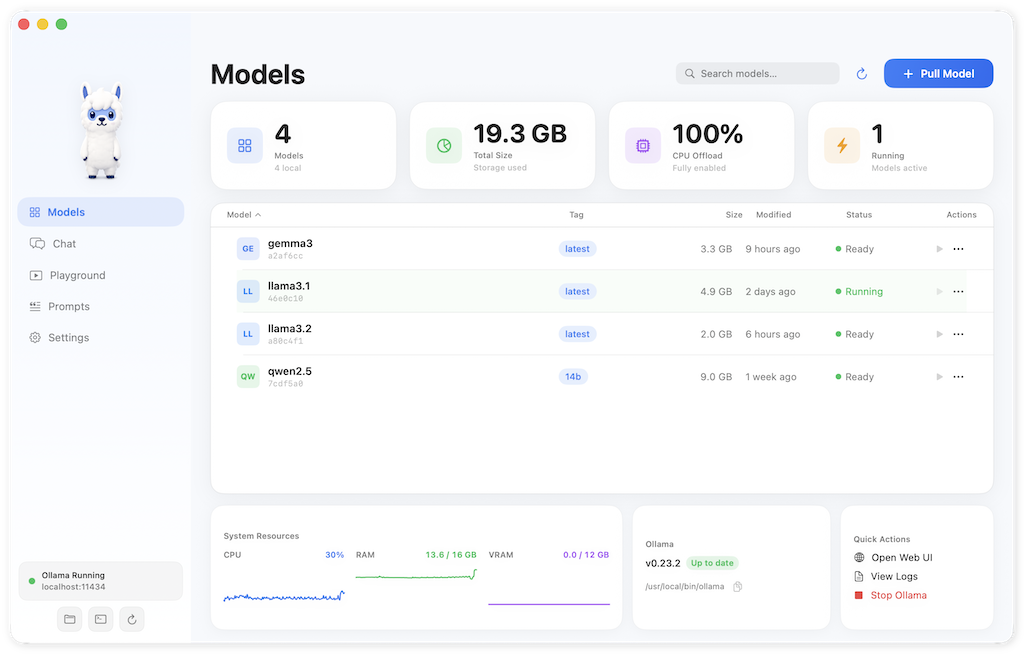
OllamaMate — Overview
The beautiful way to manage Ollama.
OllamaMate is a native macOS SwiftUI app for monitoring, managing, and interacting with a locally running Ollama instance. It provides a polished, Mac-native interface for everything you do with Ollama — from browsing models to chatting with them — without ever leaving your desktop.
Key Features
- Model Management — Browse installed models, pull new ones from a curated catalogue, and monitor download progress inline
- Chat — Full conversation interface with markdown rendering, conversation history, and per-message actions
- Playground — Quick prompt testing with configurable parameters (temperature, top_p, top_k)
- Prompt Library — Save and organise reusable prompt templates with {{variable}} substitution
- Mini Chat — Global hotkey (⌘⇧M) opens a floating glass pill for quick questions without leaving your current app
- 100% Local & Private — Everything runs against your local Ollama instance. No data leaves your machine.
System Requirements
- macOS 14 (Sonoma) or later
- Apple Silicon (M1+) or Intel Mac
Quick Start
- Download the latest DMG from the releases page
- Open the DMG and drag OllamaMate to your Applications folder
- Right-click OllamaMate and select Open (Gatekeeper override on first launch)
- The on-boarding wizard will walk you through everything — connecting to Ollama, pulling your first model, and getting started
- You're ready to go. No terminal required.